RealmJoin has a nice feature: a proper full-screen “setting up your device” experience after Autopilot hands off, showing real app install progress instead of leaving the user staring at a blank desktop wondering if anything’s happening. I don’t run RealmJoin at most of my clients. So I built my own version.
This post isn’t a tutorial - it’s the debugging story. Most of what took real time wasn’t the WPF app itself. It was a string of things that only ever showed up on an actual Autopilot device, never in a dev environment, and none of them were things I’d have predicted going in.
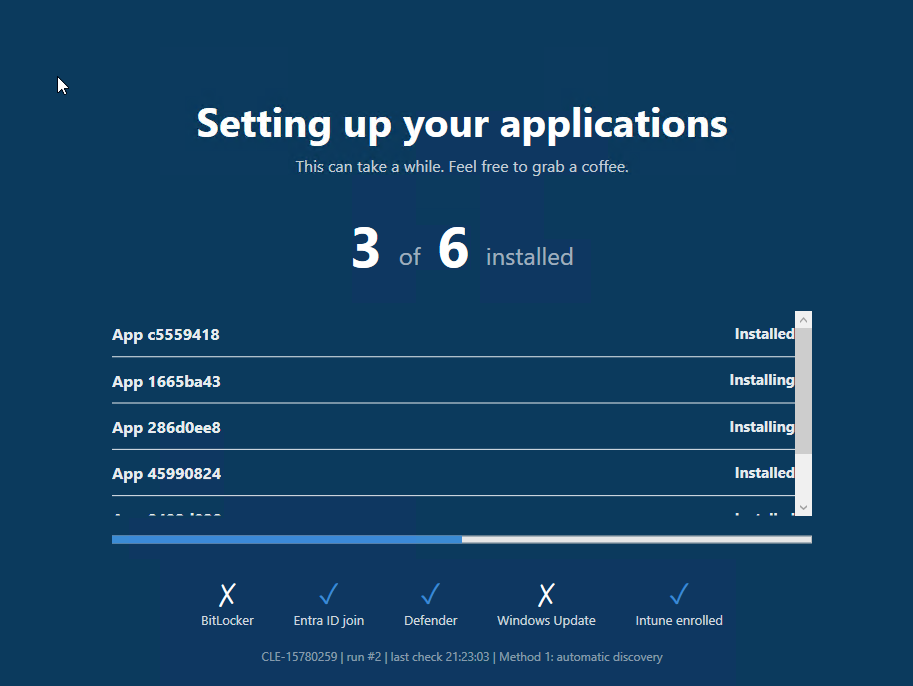
What it does
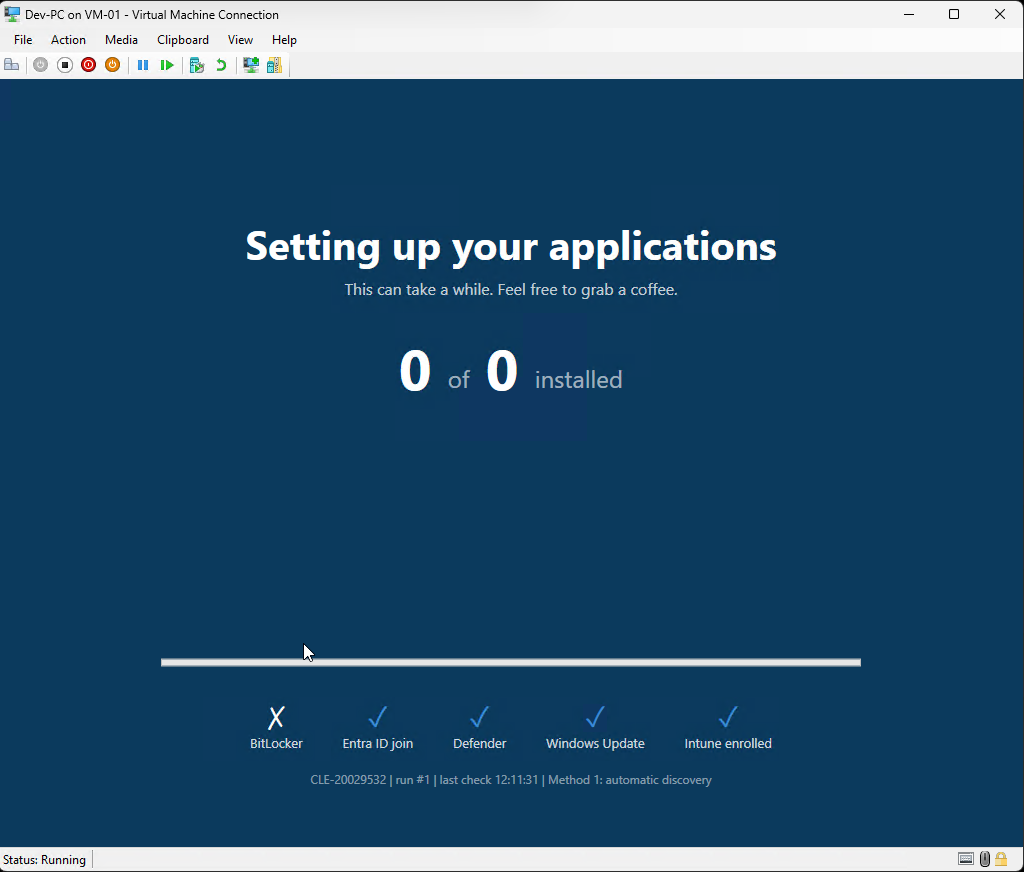
A single Win32 app, one exe, deployable to any customer with just a config file swap - no code changes between tenants. It shows a full-screen “setting up your applications” screen right after the first interactive logon, tracks every Required app Intune is installing, and layers its own compliance checks on top (BitLocker, Defender, Windows Update, Entra join). Once everything’s genuinely done, it closes itself and cleans up completely - no leftover scheduled tasks, no lingering install, nothing sitting on the device once it’s finished its job.
The bug that isn’t in any documentation
The single most useful thing I found: standard users can’t read the registry key where Intune records Win32 app install state at all. Not “restricted” - flatly denied. Confirmed it directly on a real device:
reg query "HKLM\SOFTWARE\Microsoft\IntuneManagementExtension\Win32Apps"comes back Access is denied for a standard user, every time. Nothing in Microsoft’s
own docs mentions this, because the registry schema itself isn’t officially
documented in the first place - it’s the same schema several community tools have
reverse-engineered over the years, and Microsoft has never committed to it staying
stable.
The fix is a pattern I ended up reusing three times: a tiny SYSTEM-context scheduled task, same exe with a different command-line switch, reads the privileged data and drops it into a plain JSON file that the actual standard-user app can read. No elevation for the real app, ever.
The one that took the longest to find
Everything worked in every test except a full, real Autopilot enrollment. The app installed fine. Detection said it hadn’t. Over and over.
Eventually the actual IME agent logs gave it away: agentexecutor.exe - Intune’s own
management agent - runs as a 32-bit process, even on a fully 64-bit Windows 11
image. When a 32-bit process launches plain powershell.exe with no explicit path,
Windows silently redirects it to the 32-bit PowerShell in SysWOW64. My install
script was genuinely running, genuinely succeeding - just writing to
Program Files (x86) and a WOW6432Node-redirected registry location, while my
64-bit detection script looked in the real 64-bit locations and, correctly, found
nothing.
The fix is one word: point the install command at
%windir%\sysnative\WindowsPowerShell\v1.0\powershell.exe instead of plain
powershell.exe. That path bypasses the redirection outright. I only found the
pattern already in use, unexplained, in one of my own existing packages for another
client - which tells you how well-known and how quietly worked-around this actually
is.
A friendly-names broker with nothing to leak
One nice-to-have: showing real app names instead of GUIDs when there’s no manually authored app list. That needs a Microsoft Graph lookup, which needs a credential somewhere - and “somewhere” should never be every single endpoint.
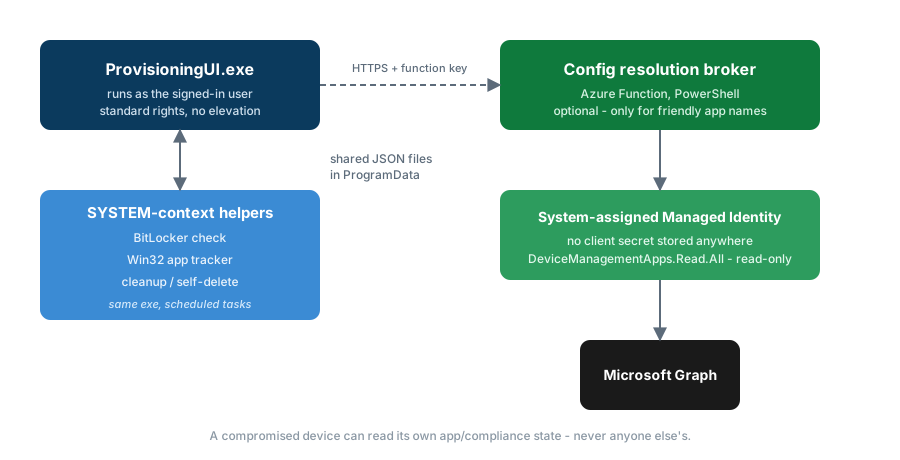
So the lookup lives in a small Azure Function instead, authenticating to Graph via
its own system-assigned Managed Identity - no client secret exists anywhere to
leak or rotate. That identity gets exactly one permission,
DeviceManagementApps.Read.All, read-only, scoped to the Intune app catalog and
nothing else. A compromised device can ask the broker “what’s this app called” and
get an answer. It can’t ask about any other device, any user, or anything beyond
that one narrow question - the broker holds the credential, the device never does.
Where it’s at
Fully working end to end now: real Autopilot enrollment, real app tracking, real cleanup, real friendly names. Most of the remaining list is polish rather than anything structural - a UI layout tweak for devices with a long app list, some tenant housekeeping after weeks of testing.
If you’re dealing with the same “no visibility after ESP hands off” problem, drop me an email at Paul.Clephan@Clefsoft.co.uk.